How do I add a currency exchange rate widget?
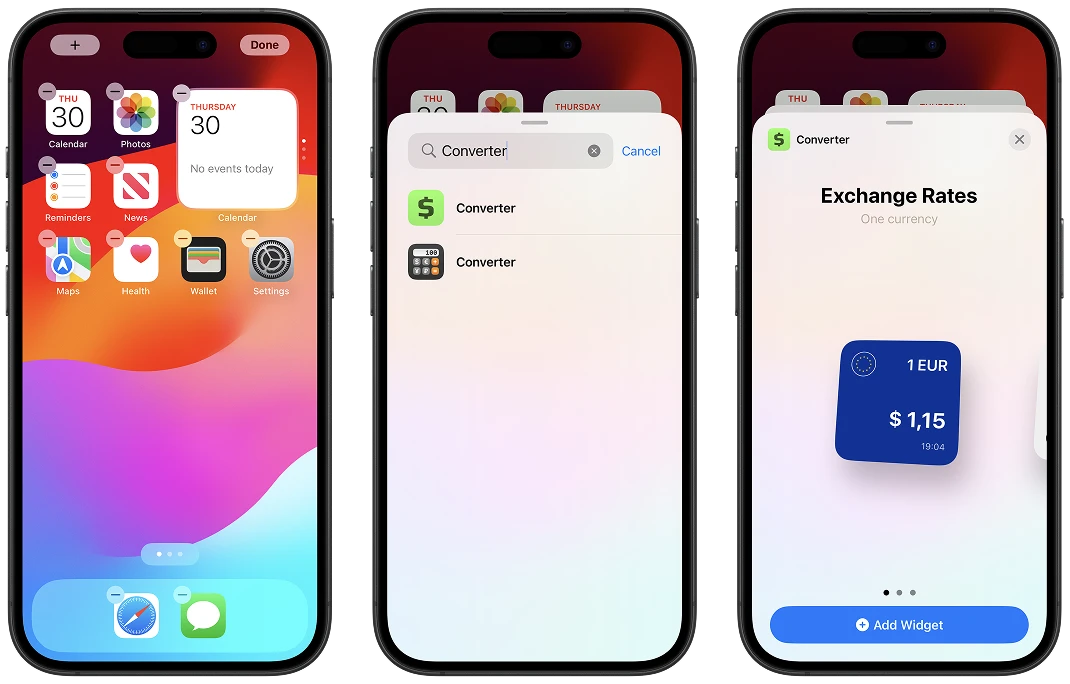
Open the iOS home screen.
Touch and hold an empty area until the app icons start jiggling.
Tap the (+) button in the top left corner.
Find and select "Converter".
Tap "Add Widget".